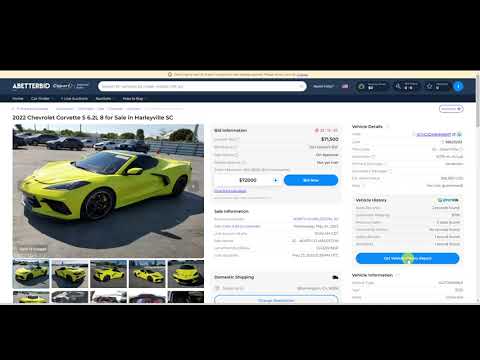
If you would like more information on a vehicle's history, you may obtain a vehicle history report through EpicVIN. In a full report you will have access to information on history events, any safety recalls the vehicle may have, any reported accidents, the last known mileage, the sales history, and information on the previous owners.
You can access the report by selecting “Get Vehicle History Report” under the “Vehicle History” section of any listing.
As a Standard, Premium or Pro Member with A Better Bid, you will automatically receive login details and receive a credit of 10, 20 or 50 vehicle history reports, depending on your membership type.
Once you are logged in to your EpicVIN account, select “Order Report” and then “Use Prepaid Reports.”
If you are a Starter Member, you will need to pay to see the full report.